Console Configuration
The Console Configuration screen contains various settings vital to the operation of your console. Where marked, certain settings should only be performed by an authorized service technician or at the direction of Everbrite Technical Support. Incorrect configuration may negatively impact sign function.
Configuration
Dim Level - Sets the MINIMUM brightness level of the sign LEDs in low light conditions. Sign will adjust brightness up/down in response to its light sensor, but not below this value. Higher numbers are brighter, with 9 being approximately 50% maximum brightness. Value should be set as low as practical for optimum readability, with the default value being 0.
Bright Level - Sets the MAXIMUM brightness level of the sign LEDs in bright conditions. Sign will adjust brightness up/down in response to its light sensor, but not above this value. Higher numbers are brighter, with 9 being approximately 100% maximum brightness
Backlight On/Off Level - Sets the threshold at which the sign’s backlight turns on based on LED brightness.
Note
The following settings should only be adjusted by an authorized service technician or at the direction of Everbrite Technical Support. Incorrect configuration may negatively impact sign function.
Sign Face - Configures the LED face type of the signs as a Translucent panel, or Exposed (push-through) LEDs. Affects lighting/dimming and backlight operation.
Radio Channel/Radio ID - Configures the channel and ID of the console radio. This is configured at the factory and MUST match the sign ID which cannot be adjusted without physical access to the sign controller
LumiDigit Thousands Mode - Configures the type of digit pattern installed in the thousandths place - 9/10 digit, 9 digit, or a full 8 digit
Temperature Mode - Configures the temperature mode to Fahrenheit or Celsius. Affects temperature display on LumiText EMCs
LumiText EMC Rows/Columns Per Sign - Configures the number of EMC tiles used in the LumiText sign, if installed. Incorrect assignment may cause messages to be cut off, display partially on the wrong line, or other unexpected behavior
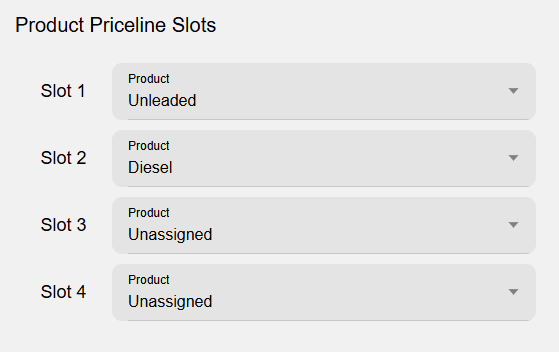
Assigns a slot number to a Product that has been configured under Location Pricing. This slot must be assigned to individual signs under Sign Configuration and can only be performed by authorized service technicians or Everbrite Technical Support.