Common Functions
Below is a list of common functions, frequently performed on your console or through the web portal/app. For additional details on other features and troubleshooting information, be sure to check out the associated Operations and Troubleshooting sections.
Logging out of the console
Note
Everbrite recommends operating your console in Locked mode and logging out when not in use to ensure that only authorized users may make changes to sign pricing, captions, and other settings.
When not in use and operating in Locked Mode, logging out of your account can prevent unauthorized changes to your console. For more details on Locked/Unlocked mode, see Locked/Unlocked Mode

To log out of your console, press the Profile icon on the Header Bar
Press Log Out to log out of your account. The next user that wishes to use the console must log into their account to gain access
Manual Price Changes
Note
Consoles connected to and configured for your Point of Sale system will automatically update pricing when the Point of Sale system is updated. Any manual price updates on the console will be overridden.
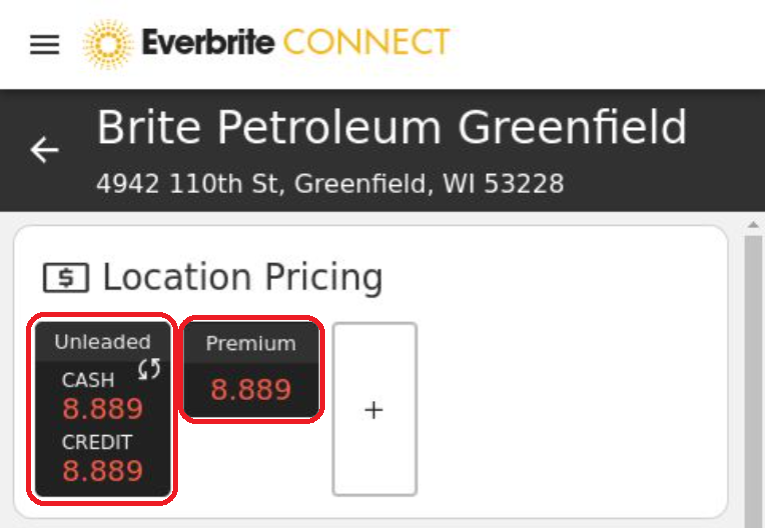
Press on the grade whose pricing you would like to change in the Location Pricing section of the site’s dashboard.

On the Products tab, press on the price value to be changed. For example, press on the Price 1 field’s dollar value to begin editing. Key in the desired price in the associated product price field
Press the SAVE button to commit the change and send the prices to the sign(s).
Alternating Prices
Signs with alternating pricing such as a Cash/Credit/Debit toggle, or a custom caption will show multiple price lines.
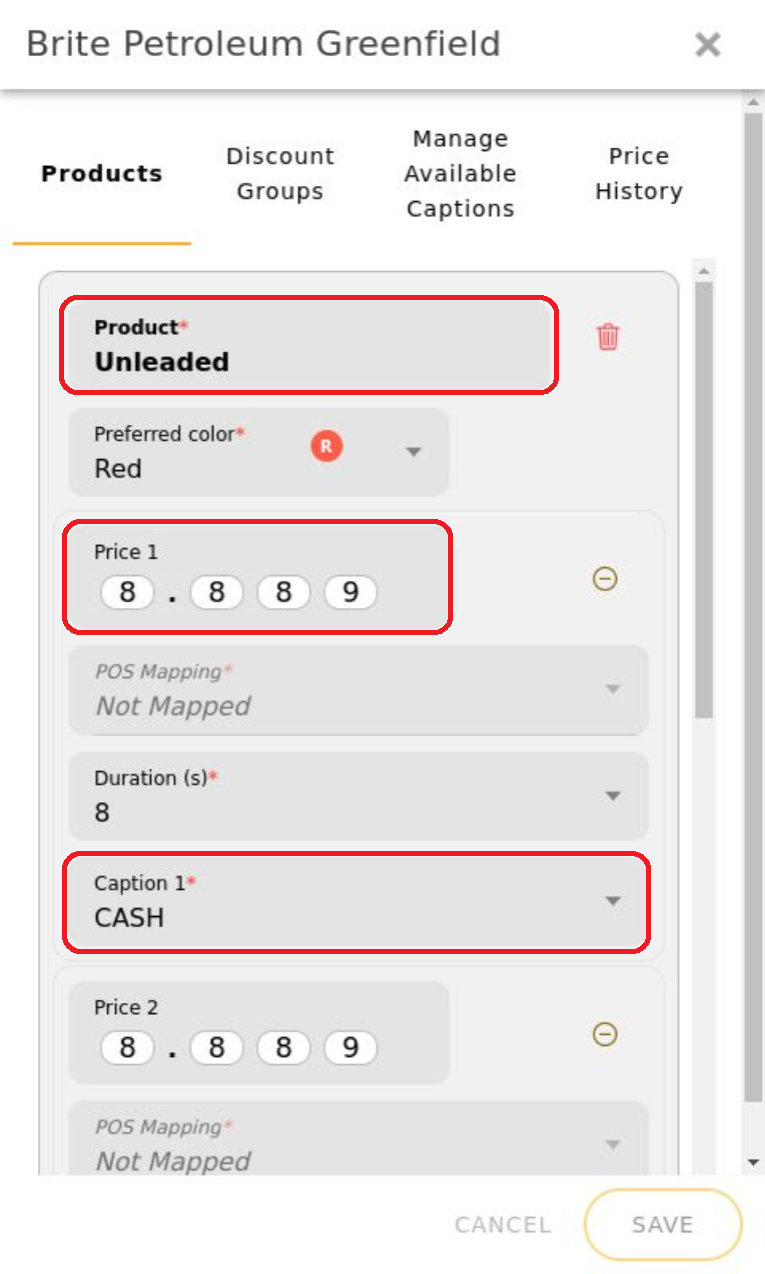
To change a specific alternating priceline, locate the Product and associated Caption for the price you would like to enter. In this case, Price 1 is the Cash price for Unleaded.
Update the pricing as needed, and press Save